WhatsApp allows users to access their own account on multiple devices through its Linked Devices feature. This can be useful when you want to use the same WhatsApp account on a computer, tablet, or another supported device.
However, Linked Devices is not a tool for secretly viewing another person’s WhatsApp chats. You need access to the primary phone and the required authentication to link a new device to an account. WhatsApp’s official instructions explain that a primary phone can be used to link additional devices by scanning a QR code.
If you are looking for a safe way to access your own WhatsApp messages on another device, the official WhatsApp features are the appropriate option.
What Is WhatsApp Linked Devices?
Linked Devices allows you to use your WhatsApp account on supported devices while keeping your primary phone as the main account device.
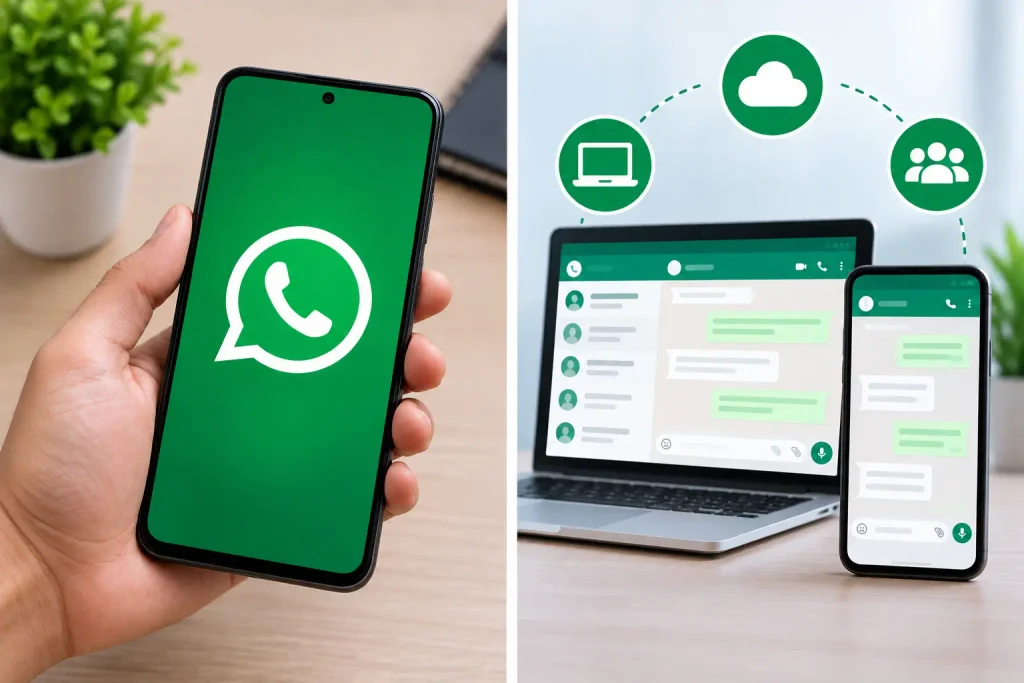
WhatsApp currently supports linked devices such as WhatsApp Web, Windows and Mac, Android tablets, iPads, and additional supported devices. WhatsApp states that users can link up to four devices to their primary phone.
Messages remain protected by WhatsApp’s security features, including end-to-end encryption for personal messages.
How to Link Your Own WhatsApp Account
If you want to access your own WhatsApp chats on another device, you can use WhatsApp’s official Linked Devices feature.
Step 1: Open WhatsApp on the Primary Phone
Open WhatsApp on the phone where your account is currently registered.
Make sure you are using the latest available version of WhatsApp. Keeping the app updated can help ensure that current security and device-linking features are available.
Step 2: Open Linked Devices
On Android, open WhatsApp and tap the three-dot menu. Then select Linked devices.
On iPhone, open WhatsApp and go to Settings, followed by Linked Devices.
WhatsApp’s official instructions may vary slightly depending on the device and app version.
Step 3: Select Link a Device
Tap Link a device on your primary phone.
WhatsApp may ask you to verify your identity using your phone’s biometric authentication or device PIN before continuing. This provides an additional security step before another device is connected.
Step 4: Scan the QR Code
Open WhatsApp Web or the official WhatsApp application on the device you want to connect.
A QR code will appear on the screen. Use the primary phone to scan that code.
After the verification process is completed, the additional device can access the WhatsApp account associated with the primary phone.
Can You View Someone Else’s WhatsApp Chats?
WhatsApp’s Linked Devices feature should not be used to access another person’s private conversations without their knowledge and authorization.
The QR-code process is designed to link a device to the account owner’s WhatsApp account. It is not a general method for entering another person’s account.
Personal WhatsApp messages are protected with end-to-end encryption. WhatsApp states that personal messages and calls are protected so that only the people involved in the communication can access their content.
If you need to use someone else’s account on another device for a legitimate reason, the account owner should complete the linking process themselves and give appropriate permission.
Avoid WhatsApp Tracker Apps and Unofficial Websites
You may find websites or applications that claim to show another person’s WhatsApp chats, deleted messages, or account activity.
These services should not be treated as official WhatsApp features. In particular, be cautious about applications that ask you to install unknown software, provide account credentials, enter verification codes, or scan QR codes from unfamiliar websites.
WhatsApp itself warns users about unofficial applications and websites because their security and privacy practices cannot be verified.
For your own account, use WhatsApp’s official application and WhatsApp Web instead of third-party tracking services.
How to Check Which Devices Are Linked
It is a good idea to review your linked devices regularly.
Open WhatsApp and go to Linked Devices. You can review the devices currently connected to your account.
If you see a device that you do not recognize, select it and log out. WhatsApp specifically recommends checking linked devices regularly and provides an option to remove an unfamiliar device.
This is particularly important if you have previously used WhatsApp Web on a shared or public computer.
How to Protect Your WhatsApp Account
Account security is important because a linked device can provide access to your WhatsApp account.
Follow these basic precautions:
- Never share your WhatsApp verification code with another person.
- Do not scan unknown QR codes.
- Review your Linked Devices regularly.
- Use two-step verification for additional account protection.
- Keep WhatsApp updated.
- Avoid unofficial WhatsApp applications.
- Log out of WhatsApp Web on computers you no longer use.
WhatsApp says that two-step verification adds another layer of protection against unauthorized account access.
What to Do If You Find an Unknown Device
If you notice an unfamiliar device in your WhatsApp Linked Devices list, remove it immediately.
Open Linked Devices, select the unfamiliar device, and choose the option to log it out. WhatsApp provides this feature specifically so users can manage devices connected to their accounts.
You should also avoid sharing verification codes and consider enabling two-step verification if it is not already active.
Official WhatsApp Resources
For the latest instructions, use WhatsApp’s official resources:
WhatsApp Official Guide: How to Link a Device
WhatsApp Official Security Information
Conclusion
WhatsApp provides a simple way to access your own chats on another device through Linked Devices. The process requires the primary phone and the appropriate authentication, followed by QR-code scanning or another supported linking method.
This feature should not be described as a way to secretly view someone else’s WhatsApp conversations. Third-party tracker apps and websites that make such claims are not a replacement for WhatsApp’s official features.
For better account security, review your linked devices regularly, avoid unknown QR codes, never share verification codes, and use two-step verification. These steps can help you maintain control over your own WhatsApp account.